
visualizing how smb2's music engine works https://icosahedron.website/media/2RbeE7RZc3LLLURex30
Follow

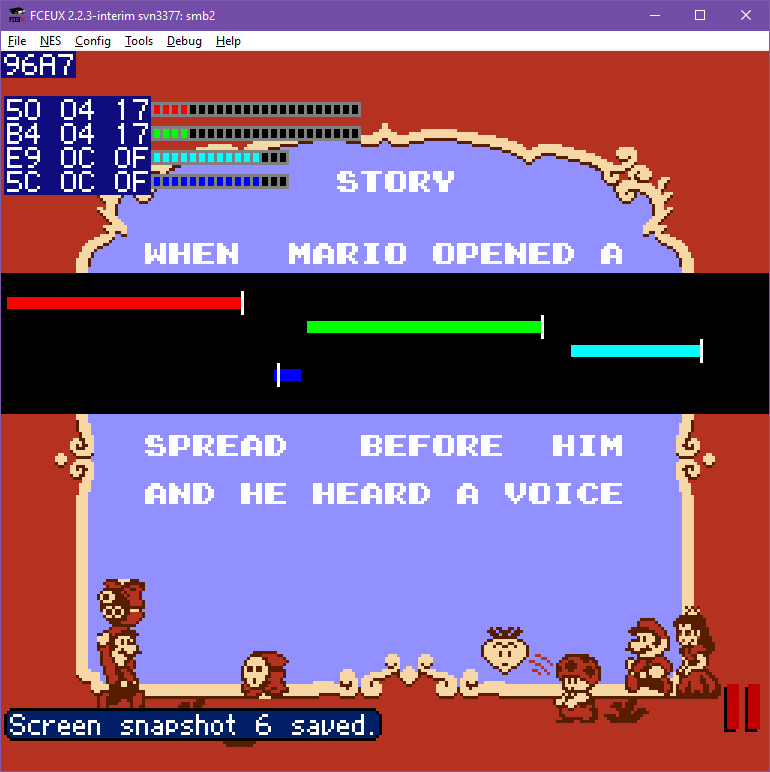
@Xkeeper If I'm understanding correctly:
Red - Square 1
Green - Square 2
Cyan - Triangle
Blue - Noise
Thing at top: Current location in ROM? (shared by all channels, but their data never overlaps)
Columns:
L - Position in memory to play from
M - Timer until next note (also the bars)
R - Note currently played (or more accurately, index into the frequency table?)
Below the memory marked by colour.
Surprisingly understandable given I've only had experience with Famitracker and nothing else.

@BatElite
Top: base offset
L: address to add to base offset
M/R: note timer (indicated with bar too)
Larger bars: current position of the addresses added to the base offset + data read for those